How to Find and Set Top Rated Sunset Wallpapers for Your Phone and Desktop
Quick Summary
To find high-quality sunset wallpapers, prioritize
4K resolution
(3840x2160) for desktops and
HD aspect ratios
for mobile. Ranks among the top sources include
Pexels
and
Canva
for free downloads. For a dynamic experience, use
iOS Shortcuts
or the
7Fon app
to automate background changes based on local solar cycles. For physical murals, ensure a
4:1 water-to-paste ratio
to prevent peeling.
What Makes a Sunset Image Look Good on a Screen?
Choosing a sunset wallpaper involves more than just picking a pretty picture. The technical and artistic composition of the image determines how it interacts with your device's interface. A common mistake is selecting a photo that is too "busy," which makes app icons and text difficult to read. Instead, professional curators look for images that follow specific artistic principles.
The Secret of Value Contrast
According to artistic principles discussed by the
Virtual Art Academy
, a realistic sunset requires the sun to be lighter in "value" (brightness) than the surrounding sky. While famous artists like Monet sometimes made the sun the same value as the sky for stylistic harmony, digital screens benefit from high contrast. This contrast creates a sense of "brilliance" that makes the screen feel like a window to the outside world.
Pro Tip: The Monochrome Test
To see if a wallpaper will look vibrant on your screen, temporarily apply a black-and-white filter to the image. If the sun remains clearly visible and brighter than the clouds, the image has strong value contrast. If the sun disappears into the gray tones of the sky, the wallpaper may look "flat" or dull when applied to a high-resolution display.
Icon Legibility and Bokeh Effects
For mobile users, the "bokeh" effect—where the background light is artistically blurred—is a top-tier choice. This technique, often used in
sunset portrait photography
, ensures that the background remains atmospheric without distracting from the foreground elements like your clock or notifications. Look for images where the horizon line is in the lower third of the frame to keep the center area clear for app icons.
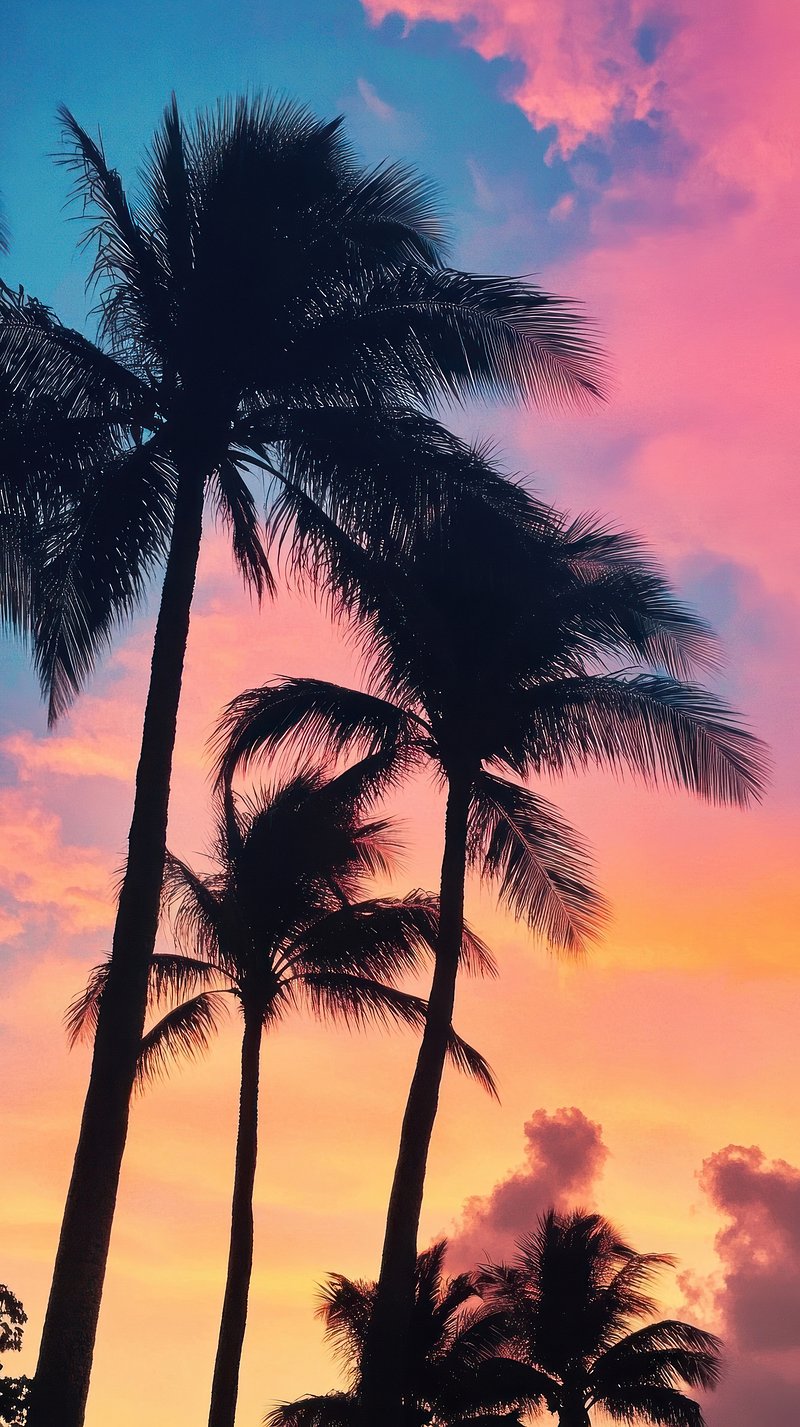
Silhouetted foregrounds provide excellent contrast for mobile app icons.
Image source:
Rawpixel
Where to Find Free High Quality Sunset Backgrounds
In 2026, the demand for high-resolution imagery has led to massive databases. However, not all platforms are equal in terms of curation and licensing. When searching for the perfect background, you should consider both the resolution and the usage rights.
Top Aggregators for Digital Wallpapers
Pexels:
Widely regarded as one of the strongest options for mobile-specific aspect ratios. Their library includes over 271,000 sunset-related photos, many optimized for vertical screens.
Canva:
A powerful tool for those who need custom desktop ratios. With over 4.3 million images,
Canva's sunset collection
allows you to crop and filter images before downloading.
Unsplash:
Known for artistic, high-definition photography that avoids the "stock photo" look. It is a preferred choice for high-end 4K and 8K desktop monitors.
Understanding Resolution Standards
To avoid blurriness, match your download to your screen's native resolution. As of recent years, 4K (3840 x 2160) has become the standard for modern monitors. For mobile devices, look for "HD" or "QHD" vertical resolutions to ensure the image remains sharp even when you zoom in to set the crop.
Device Type
Recommended Resolution
Best Aspect Ratio
Desktop (4K)
3840 x 2160
16:9
iPhone / Android
1170 x 2532 (or higher)
19.5:9
Tablet
2048 x 2732
4:3
How to Sync Your Wallpaper with the Actual Sunset
Static wallpapers are a thing of the past. Many users now prefer a "dynamic" experience where the background changes to reflect the time of day. This is notably innovative because it aligns your digital environment with your natural circadian rhythm.
The iOS Shortcut Method
iPhone users can create a simple automation that triggers a wallpaper change at the exact moment of sunset in their current location. This solution, frequently discussed in tech communities, requires no third-party apps.
Step 1:
Open the "Shortcuts" app and navigate to the "Automation" tab.
Step 2:
Select "Create Personal Automation" and choose "Time of Day."
Step 3:
Tap "Sunset" and set it to trigger exactly at sunset.
Step 4:
Add the action "Set Wallpaper" and choose your favorite sunset image from your Photos library.
The Android Solution (7Fon)
For Android users, the
7Fon Sunset Wallpapers app
offers an "automatic background change" feature. This app stands out for its manual moderation, ensuring that every image in the rotation meets high-quality standards. You can set the interval to change every few hours or sync it with your system's dark mode settings.
Curated Sunset Collections for Every Aesthetic
Sunsets are not a monolith. Depending on your personal style, you might prefer the rugged beauty of a mountain range or the neon-soaked colors of a retro-tech landscape. Curation based on niche interests provides a more tailored experience than general search results.
National Park Sunsets
For nature enthusiasts, wallpapers featuring U.S. National Parks are highly celebrated. Yosemite's "Firefall" (a sunset that makes a waterfall look like lava) and the stark silhouettes of Joshua Tree are among the most popular choices. These images offer a sense of scale and tranquility that urban sunsets often lack.
The Vaporwave and Synthwave Aesthetic
If you prefer a more stylized look, the "Vaporwave" sunset is a significant advancement in digital art. These images use exaggerated pink, purple, and cyan gradients, often featuring a low-poly sun and grid lines. This aesthetic is a popular choice for gamers and tech professionals who want a "retro-future" vibe.
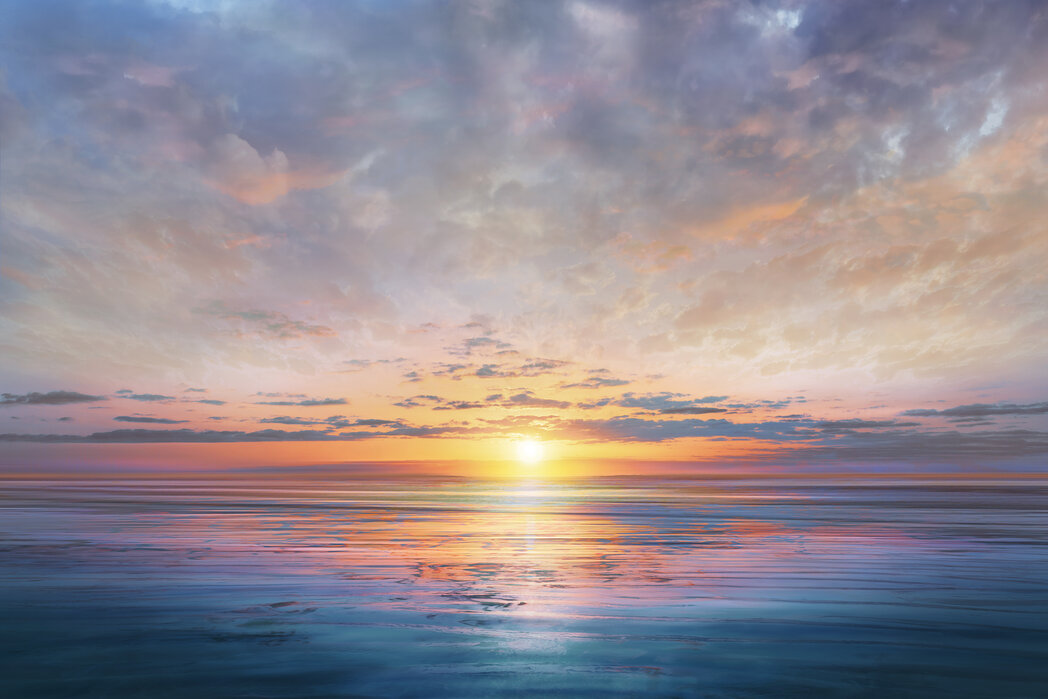
High-saturation gradients are a hallmark of the modern aesthetic sunset.
Image source:
ajsaluminum.com
Choosing the Right Sunset for Your Screen Type
The hardware of your device should influence your wallpaper choice. Different screen technologies handle light and color in distinct ways, and choosing the wrong image can lead to battery drain or visual artifacts.
OLED vs. LCD Displays
If you have a modern smartphone with an OLED screen, look for sunset wallpapers with "Deep Black" foregrounds. Because OLED pixels turn off completely to display black, using a silhouetted sunset can significantly save battery life. Furthermore, the contrast between the pitch-black foreground and the vibrant sky creates a striking visual effect that LCD screens cannot match.
High-Key vs. Low-Key Images
A "High-Key" sunset is bright, airy, and full of light—similar to a watercolor painting. These are excellent for productivity as they keep the mood light. "Low-Key" sunsets focus on the shadows and the deep reds of the final moments of light. These are better suited for lock screens where you want a dramatic, immersive feel without needing to read small text.
How to Install a Physical Sunset Wall Mural in Your Home
The appeal of sunsets extends beyond the digital screen. Physical wall murals have become a top-tier choice for interior design, particularly in bedrooms and home offices. However, installing these large-scale images requires technical precision.
Technical Specifications for Murals
Most high-quality sunset murals are printed on non-woven panels. These panels are typically 50 cm (19.7 inches) wide. Unlike traditional wallpaper, non-woven material does not shrink or expand, allowing for an "edge-to-edge" installation where panels are placed side-by-side without overlapping.
The Adhesive Science
A common pitfall in mural installation is the incorrect dilution of adhesive. Professional installers recommend a strict
4 liters of cold water
per bag of adhesive powder. Over-diluting the paste leads to poor adhesion and peeling, while under-diluting can cause lumps that show through the thin mural paper.
Installation Warning: Mist Coating
If you are applying a sunset mural to a newly plastered or highly porous wall, you must apply a "mist coat" (a mixture of water and primer) first. This prevents the wall from sucking the moisture out of the wallpaper paste too quickly, which is a leading cause of installation failure.
Physical murals require precise panel alignment for a seamless horizon line.
Image source:
Photowall
Frequently Asked Questions
What is the best resolution for a sunset wallpaper on iPhone?
For the latest iPhone models, a resolution of at least 1170 x 2532 pixels is recommended. However, downloading a 4K image (3840 x 2160) is often a better choice, as it allows you to crop the image to your liking without losing sharpness. High-density displays benefit from the extra detail found in larger files.
How do I make my wallpaper change at sunset automatically?
On iOS, you can use the Shortcuts app to create a "Personal Automation" triggered by the "Sunset" event. On Android, apps like 7Fon provide built-in tools to rotate through a gallery of images at specific times. This ensures your device's aesthetic matches the natural lighting of your environment.
Why does my sunset wallpaper look blurry?
Blurriness is usually caused by an aspect ratio mismatch or excessive compression. If you take a horizontal desktop photo and try to stretch it to fit a vertical phone screen, the pixels will distort. Always look for "Portrait" oriented images for mobile devices to maintain clarity.
Can I use these wallpapers for commercial projects?
It depends on the license. Images from Pexels and Unsplash are typically royalty-free and do not require attribution for most uses. However, if you are using a sunset image for a brand logo or a product you intend to sell, you should verify the specific "Commercial Use" terms on the source site.
What is the difference between Golden Hour and Blue Hour wallpapers?
Golden Hour occurs just before sunset and features warm, orange, and yellow tones. Blue Hour occurs just after the sun has set, resulting in deep blues and purples. Golden Hour wallpapers are generally more vibrant, while Blue Hour backgrounds offer a calmer, more subdued aesthetic.
How do I clean a physical sunset wall mural?
Most modern non-woven murals are "wipeable." Use a slightly damp, soft cloth without harsh chemicals. Avoid scrubbing, as this can damage the ink layers. If the mural is in a high-traffic area, consider applying a clear matte varnish for extra protection.
Are there sunset wallpapers that save battery?
Yes, specifically for OLED screens. Look for "Amoled Sunset" wallpapers that feature large areas of true black. Since OLED screens turn off pixels to show black, these images consume significantly less power than a fully bright, colorful sky.
Final Thoughts
Choosing the right sunset wallpaper is a blend of artistic appreciation and technical savvy. By understanding how light, value, and resolution interact with your screen, you can transform your device into a more inspiring tool.
Prioritize resolution
by choosing 4K files to ensure crispness on all display sizes.
Test legibility
using the monochrome test to ensure your icons remain easy to find.
Automate your experience
using iOS Shortcuts or Android apps to sync with the sun.
Leverage OLED technology
by selecting silhouetted sunsets to extend your battery life.
Follow the 4L rule
for physical murals to ensure a long-lasting and professional installation.
Explore niche aesthetics
like Vaporwave or National Parks for a more personalized look.
Start by checking your current screen resolution and downloading a high-contrast sunset that complements your most-used apps.
All trademarks, copyrighted content, and quoted material referenced in this article belong to their respective owners. Brief excerpts are used under fair use (17 U.S.C. § 107) for purposes of commentary, criticism, and informational reporting. This article is not affiliated with or endorsed by the creators of the apps or photography platforms mentioned.
 Home
Home