Home
How to Create Viral Phonk Edits Using Top Songs and Tools
Phonk edits in 2026 have transitioned from simple drift aesthetics to high-energy Brazilian Montagem and atmospheric Aura Phonk . To create viral content, editors are prioritizing 120 FPS frame rates for fluid slow-motion and using After Effects time-remapping to sync visual hits with aggressive cowbell rhythms. Leading tracks like "Montagem Pegadora" and "Funk Criminal" currently dominate social platforms, often in "Super Slowed" variants to allow more room for complex transitions.
The landscape of short-form video content has been fundamentally altered by the rise of phonk. What began as a niche sub-genre of Memphis rap has evolved into a global phenomenon, particularly within the editing communities of TikTok, Instagram Reels, and YouTube Shorts. In 2026, the "Phonk Edit" is no longer just a video; it is a highly technical display of synchronization, color grading, and rhythmic impact.
Creators are moving away from the saturated "Drift Phonk" sound of previous years, embracing the chaotic energy of Brazilian Funk and the ethereal vibes of "Aura" edits. According to recent data, tracks like "Montagem Pegadora" have amassed over 114 million plays, signaling a massive audience appetite for this specific aesthetic [Source 3] . This article breaks down the technical secrets and musical choices required to stand out in this competitive space.
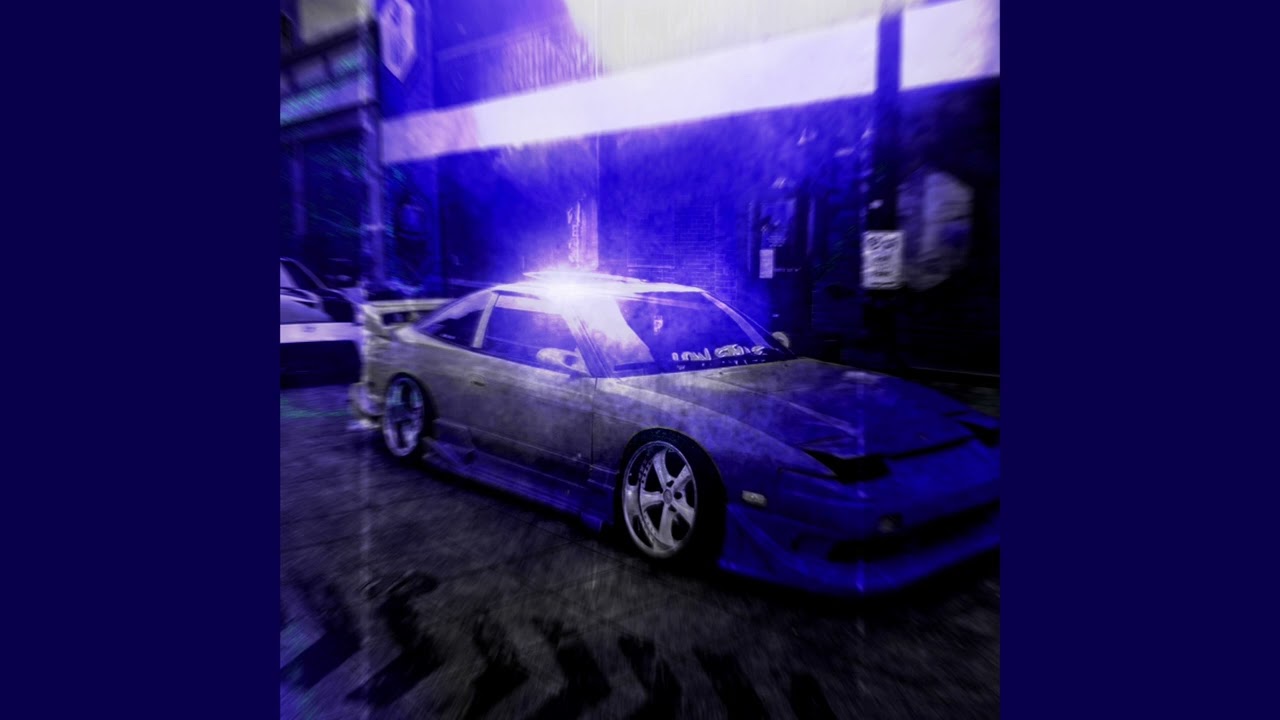
Image source: YouTube
What Are the Top Phonk Songs for Edits Right Now?
Choosing the right track is the most critical step in the editing process. The music dictates the pacing, the color palette, and the overall "vibe" of the video. In 2026, the scene is divided into several distinct sub-genres, each serving a different purpose for creators.
| Sub-Genre | Key Characteristics | Top Use Case |
|---|---|---|
| Brazilian Phonk | Heavy bass, aggressive Portuguese vocals, high BPM. | Gym edits, sports highlights, high-energy transitions. |
| Montagem Ritmada | Complex percussion, "chopped" rhythms, rhythmic cowbells. | Anime edits, technical beat-syncing. |
| Aura / Chill Phonk | Atmospheric pads, slowed tempo, ethereal melodies. | "Vibe" edits, cinematic car shots, lifestyle content. |
| Drift Phonk | Distorted cowbells, 808 bass, lo-fi texture. | Classic car drifting, retro gaming edits. |
Why Brazilian Phonk and Montagem Dominate the Scene
Brazilian Phonk, often referred to as "Funk Phonk," has become a dominant force due to its unpredictable rhythmic structure. Unlike traditional drift phonk, which follows a steady 4/4 beat, Montagem (Portuguese for "assembly") uses syncopated rhythms that allow editors to experiment with "stutter" transitions and rapid-fire cuts. The "Montagem Unknown" style is a particularly popular choice for CapCut users looking to leverage trending templates [Source 10] .
The popularity of these tracks is reflected in their massive monthly audiences. Artist profiles dedicated to phonk curation now reach upwards of 2.11 million monthly listeners, providing a constant stream of new material for editors to mine [Source 3] . The aggressive nature of these tracks makes them a preferred option for "warrior" or "guerreiro" style edits, which focus on power and dominance.
The Rise of Ultra Slowed and Reverb Tracks
A significant trend in 2026 is the preference for "Super Slowed" and "Reverb" versions of popular songs. Tracks like "Funk Criminal (Super Slowed)" have garnered over 54 million plays, often outperforming their original counterparts in the editing community [Source 3] .
From a technical perspective, slowed tracks provide more "temporal real estate." When a song is slowed down, the distance between beats increases, giving the editor more frames to execute complex masking, time-remapping, or particle effects. This is especially useful for "impact" edits where the visual must perfectly align with a heavy bass drop.
How to Achieve the 120 FPS Smooth Motion Look
One of the most sought-after qualities in modern phonk edits is "fluidity." While most social media platforms display video at 60 FPS, professional editors use the 120 FPS method to achieve a level of smoothness that standard footage cannot match. This technique is widely used by top-tier creators to ensure that slow-motion sequences remain crisp and free of stuttering [Source 4] .
Why Frame Rate Matters for Slow Motion Transitions
In traditional editing, slowing down 30 FPS footage results in "choppy" movement because the software has to duplicate frames to fill the time. By starting with 120 FPS, you have an abundance of data. This allows for "Time Remapping," where the video speeds up during the build-up and slows down to a crawl exactly when the beat hits. This contrast between high-speed movement and ultra-smooth slow motion is a hallmark of the phonk aesthetic.
Setting Up Your Project for 4K Clarity
High-bitrate exports are essential for maintaining quality on platforms like TikTok, which are notorious for aggressive compression. Creators often use "4K Phonk" settings, exporting at 3840x2160 even if the source material is lower resolution. This trick forces the platform to allocate more bandwidth to the video, resulting in a sharper image. Professional plugins like RSMB (ReelSmart Motion Blur) are frequently used to add a natural-looking blur to these high-frame-rate edits, making the motion feel more cinematic [Advanced 1] .
How to Master the Aura Aesthetic in Your Videos
The "Aura" aesthetic is a visual movement within the phonk community that prioritizes atmosphere and "vibes" over raw aggression. It is characterized by specific color palettes and recurring motifs, such as the "Skull" or "Backrooms" imagery [Source 7] . Mastering this look requires a deep understanding of color grading and lighting effects.
Decide between "Blue Vibes" (cool, calm, powerful) and "White Vibes" (high-energy, ethereal, bright). Blue vibes often use deep navy and cyan highlights, while white vibes rely on heavy exposure and glow effects.
Phonk culture is rooted in lo-fi aesthetics. Use subtle glitch textures or "VHS" overlays to give the footage a gritty, mixtape feel. CapCut offers several dedicated "Phonk Trend" filters for this purpose [Source 6] .
Add floating dust particles or "light leaks" that react to the music. This adds depth to the scene and makes the environment feel alive.
Using Glitch Effects and Particle Work for a Mixtape Feel
The "mixtape" look is achieved by layering multiple effects. Instead of using a single filter, top editors stack effects like "Chromatic Aberration" (which splits colors at the edges) and "Film Grain." This mimics the look of old Memphis rap tapes while maintaining the clarity of modern 4K resolution. The goal is to create a visual that feels both nostalgic and futuristic.
Matching Visual Hits to Aggressive Phonk Beats
In phonk editing, every "kick" or "cowbell" in the song should have a corresponding visual reaction. This is known as a "Punchy Visual Hit." Common techniques include:
- Screen Shakes: A subtle, high-frequency shake on the bass drum.
- Flash Frames: A single frame of white or inverted color on a sharp cowbell hit.
- Zoom Pulses: A quick zoom-in and zoom-out that follows the rhythm of the melody.
Which Editing Software Should You Use for Phonk?
The choice of software depends on your skill level and the complexity of the edit you want to create. While mobile apps have become incredibly powerful, desktop software still offers the most control for professional-grade work.
| Feature | CapCut (Mobile/PC) | After Effects (Desktop) |
|---|---|---|
| Ease of Use | High (Template-based) | Low (Steep learning curve) |
| Beat Sync | AI-powered Auto-sync | Manual (Precise control) |
| Masking | Basic / AI Cutout | Advanced / Frame-by-frame |
| Time Remapping | Standard Curves | Professional Graph Editor |
| Cost | Free / Subscription | Subscription (Adobe CC) |
Using CapCut Templates for Quick Viral Trends
CapCut is a leading choice for creators who want to participate in viral trends quickly. The platform features an "Auto-match Beat Sync" tool that analyzes the phonk track and places markers on every major beat [Source 6] . This allows you to drag and drop your clips into a pre-made structure, ensuring your edit is rhythmically perfect with minimal effort.
Advanced After Effects Techniques for Professional Edits
For those aiming for the "Paid Edit" standard, Adobe After Effects is the industry benchmark. Professional editors use the Graph Editor to create custom speed ramps. Unlike the preset curves in CapCut, the Graph Editor allows you to manipulate the velocity of a clip with mathematical precision. This is how editors create the "snap" effect, where a clip appears to move at lightning speed before instantly freezing on a beat.
Another advanced technique is Mask Animation . By isolating a subject (like a car or an anime character) from the background, you can apply effects—such as a glow or a blur—only to the background, making the subject "pop" off the screen. This level of depth is what distinguishes a top-tier edit from a standard social media post [Advanced 1] .
How to Find That One Viral Phonk Song You Heard in an Edit
A common frustration for viewers is hearing a phenomenal phonk track in an edit but being unable to identify it. Because many phonk tracks are remixes or "slowed + reverb" versions, Shazam often fails to recognize them. To solve this, creators use a specific "Song Hunter" workflow [Source 8] .
If you find a video on Reddit, you can tag
u/RecognizeSong
or
u/find-song
in the comments. these bots are highly effective at identifying obscure phonk remixes.
If the edit features a specific person or character (e.g., Neymar or an anime hero), search YouTube for "Montagem [Name] Edit Song." Communities often label tracks based on the famous edits that used them.
YouTube Music’s "Trending Phonk" playlists often update faster than Spotify, capturing viral hits while they are still peaking on TikTok [Source 3] .
How to Use Phonk Music Without Getting Copyright Strikes
Navigating copyright is a major challenge for phonk creators. While the genre thrives on sampling, those very samples can lead to content ID claims or strikes. It is important to distinguish between "Viral" tracks and "Royalty-Free" tracks.
For creators who want to monetize their videos on YouTube, using royalty-free phonk from libraries like Pixabay is a safer option [Source 5] . These tracks capture the phonk aesthetic—cowbells, 808s, and all—without the risk of legal issues. However, if your goal is social media growth, using the copyrighted "Viral" hits via the official "Add Music" libraries on TikTok or Instagram is the preferred strategy, as these platforms have licensing agreements in place.
The Difference Between Royalty-Free and Viral Tracks
Viral tracks are usually remixes of existing songs, meaning they carry a high risk of being flagged if uploaded as original audio. Royalty-free tracks are composed specifically for creators to use as background music. If you are building a brand, a mix of both—using viral tracks for short-form growth and royalty-free tracks for long-form content—is a balanced approach.
Frequently Asked Questions
As of late 2026, "Montagem Pegadora" and "Funk Criminal" remain the most popular choices, particularly in their "Slowed + Reverb" forms. However, the scene moves quickly, and new "Montagem Unknown" tracks frequently take over the CapCut trending charts every few weeks. Keeping an eye on YouTube Music's phonk hashtags is the most effective way to stay current.
The secret to smoothness is the 120 FPS method. By recording your source material at 120 frames per second and interpreting it into a 24 or 30 FPS timeline, you gain the ability to slow down footage without losing quality. Additionally, using "Optical Flow" or plugins like Twixtor can help interpolate frames for an even more fluid look, though native 120 FPS footage is always a top-tier choice.
Generally, no. Most viral phonk tracks use samples from other songs, making them subject to copyright. If you want to monetize your content, you should look for "No Copyright Phonk" on platforms like Pixabay. If you are just posting to TikTok or Reels, you can safely use copyrighted tracks as long as you select them from the app's built-in music library.
Aura Phonk is a sub-genre that focuses on atmospheric, ethereal, and high-contrast visuals. Unlike the aggressive "Drift" or "Brazilian" styles, Aura edits are often slower and more cinematic. They utilize "Blue" or "White" color grading and often feature motifs like the "Skull" or "Backrooms" to create a specific, moody energy that resonates with lifestyle and "vibe" content.
Phonk's popularity in the fitness community stems from its aggressive BPM (beats per minute) and heavy 808 basslines. The rhythmic "cowbell" hits provide a perfect tempo for lifting weights or high-intensity training. The "Brazilian Phonk" sub-genre, in particular, offers a raw energy that many athletes find motivating for their highlight reels.
Yes, mobile editing has reached a point where you can create professional-looking phonk edits entirely on a smartphone. CapCut is the leading app for this, offering specialized phonk templates, AI beat-syncing, and advanced masking tools. While desktop software like After Effects offers more precision, mobile apps are a top-rated option for speed and ease of use.
Key Takeaways for Viral Phonk Edits
- Choose the right sub-genre: Use Brazilian Montagem for high energy and Aura Phonk for atmospheric "vibe" edits.
- Prioritize frame rate: Record at 120 FPS to enable ultra-smooth slow-motion transitions without choppiness.
- Master the "Aura" look: Experiment with Blue and White color palettes combined with glitch and particle overlays.
- Sync every hit: Ensure that visual shakes, flashes, or zooms align perfectly with the song's kick and cowbell.
- Use the Song Hunter workflow: Leverage Reddit bots and YouTube Music trending lists to find viral tracks before they peak.
- Select the right tool: Use CapCut for fast, template-based trends and After Effects for professional, custom-mapped edits.
- Navigate copyright wisely: Use official app libraries for social growth and royalty-free tracks for monetized YouTube content.
Start by downloading a trending Brazilian Montagem track and practicing the 120 FPS slow-motion technique to see an immediate improvement in your edit quality.