Home
How to Create Viral Goku Edits That Dominate TikTok and YouTube
Creating a viral goku edit requires high-bitrate 4K raw clips, precise beat-syncing, and advanced color grading. Most top-tier creators use After Effects for complex aura manipulation or CapCut for rapid velocity-based trends. Success in the current algorithm relies on pairing "Phonk" music with high-contrast visual effects and lore-accurate power scaling data.
Why Goku Edits Continue to Trend Across Social Media
The enduring popularity of the "Goku edit" subculture is a testament to the character's visual design and the visceral impact of his transformations. From the classic Super Saiyan (SSJ) awakening on Namek to the ethereal glow of Mastered Ultra Instinct (MUI), Goku’s journey provides a wealth of high-energy frames that are perfectly suited for short-form video platforms. These edits aren't just tributes; they are a modern evolution of the Anime Music Video (AMV) culture that began in the early 2000s.
Current engagement metrics highlight the massive reach of this niche. According to recent data, top-performing edits frequently surpass 1.2 million views on YouTube and generate over 470,000 likes on TikTok [Source 1] . The appeal lies in the "hype" factor—the ability to condense a 20-minute battle into a 15-second burst of adrenaline. This format resonates with the fast-paced consumption habits of modern audiences, particularly when paired with the aggressive, bass-heavy rhythms of Phonk music [Source 7] .
Furthermore, the aesthetic has shifted from simple transitions to complex "stat edits" and high-contrast color grading. Creators now focus on "aura manipulation," where they manually enhance the ki surrounding Goku to make it appear more vibrant and dynamic than the original broadcast footage. This level of craftsmanship has turned anime editing into a respected digital art form within the Dragon Ball community.
Where to Find High-Quality Goku Raw Clips for Editing
The foundation of any successful edit is the quality of the source material. In an era where 4K displays are standard, using low-resolution or watermarked footage will significantly hinder your video's potential to go viral. The current social media algorithms prioritize high-definition content, making 4K raw clips a non-negotiable requirement for serious creators.
Vlipsy Repositories
Vlipsy stands out as a top choice for sourcing specific moments. It offers a library of over 256 specific Goku clips available for immediate download [Source 5] . This is ideal for finding short, punchy reactions or iconic transformation sequences without having to scrub through entire episodes.
Mastered Recuts
For those seeking the cleanest possible footage, the Kanzenshuu community provides "Mastered Recuts." These versions often remove environmental text and signs that can distract from the action, providing a "clean" canvas for English dub viewers [Source Community - Kanzenshuu] .
Pinterest is another excellent resource for visual inspiration and background assets. Curated boards often feature high-quality wallpapers and fan art that can be used as overlays or intro/outro cards [Source 8] . When sourcing, always look for "Log" or "Raw" footage, which lacks heavy pre-processing, allowing you more freedom during the color grading stage.
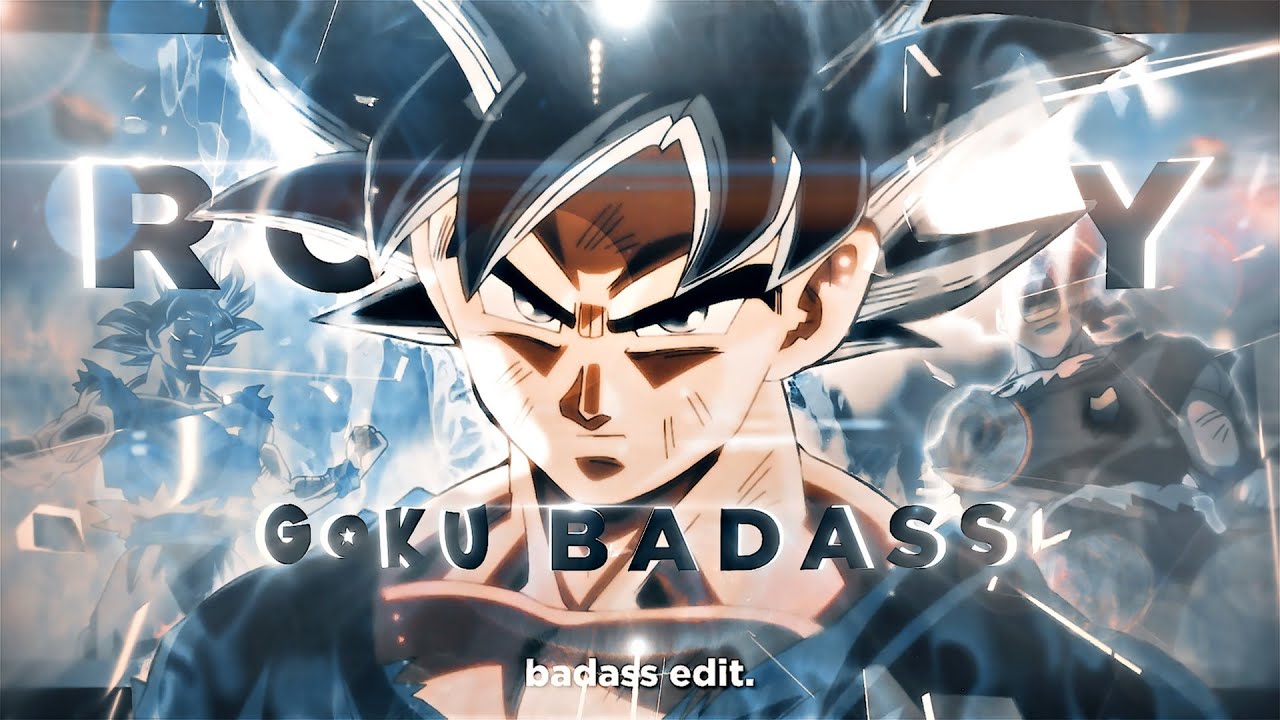
Image source: YouTube
The 10-Step Professional Workflow for a Viral Goku Edit
Creating a polished edit requires more than just placing clips on a timeline. Following a structured framework ensures that your video has the necessary flow, impact, and technical polish to stand out. Here is a professional 10-step strategy used by many successful anime editors [Source Advanced TikTok] .
- Sourcing High-Energy Frames: Select clips with high motion density. Look for frames where the camera is moving or the character is in mid-strike to maximize the sense of speed.
- Beat-Sync Trimming: Align your cuts with the "snare" or "kick" of your audio track. Precise timing creates a subconscious satisfaction for the viewer.
- Speed Ramping: Use velocity curves to slow down the footage just before an impact and speed it up during the strike. This "S-curve" technique emphasizes the power of Goku's movements.
- Radial Light Overlays: Add depth to ki blasts by placing radial gradients over the source of the light. This makes the energy look like it is actually illuminating the scene.
- Screen Blend Modes: When adding custom auras, use "Add" or "Linear Dodge" blend modes. This ensures the light interacts naturally with the background rather than looking like a flat sticker.
- HSL Color Adjustment: Manually adjust the Hue, Saturation, and Luminance. Make Goku’s iconic orange gi and blue undershirt "pop" by increasing their saturation while slightly darkening the background.
- SFX Layering: Don't rely solely on the music. Layer custom "whooshes," "explosions," and "swells" to give the visual actions more weight.
- Bold Condensed Typography: If adding text or stats, use bold, condensed fonts (like Impact or Bebas Neue). These match the aggressive tone of a battle edit.
- Motion Blur: Apply "CC Force Motion Blur" in After Effects or the standard blur setting in CapCut. This smooths out rapid cuts and makes the speed ramping feel more organic.
- High Bitrate Export: Export at a high bitrate (at least 30-50 Mbps for 4K) to ensure that TikTok and YouTube’s compression doesn't turn your hard work into a pixelated mess.
How to Master the Ultra Instinct Glow and Aura Effects
Ultra Instinct (MUI) is widely considered one of the most visually striking transformations in the series, making it a primary target for editors [Source 6] . The "MUI Aesthetic" is defined by its cool silver tones, vibrating heat ripples, and ethereal particles. Mastering this look requires advanced aura manipulation techniques.
One advanced technique involves "Removing Canon Effects." In some scenes, Goku may have Kaioken or specific ki trails that don't fit your custom edit's narrative. By using frame-by-frame masking, you can isolate Goku and replace the original aura with a custom displacement map that simulates the intense heat of Ultra Instinct [Source Community - Kanzenshuu] . This allows for a level of visual consistency that sets top-tier edits apart from basic recuts.
Color grading for MUI should focus on transitioning from the warm oranges and reds of base forms to a vibrating silver-blue palette. Use a "Glow" effect with a high threshold to ensure that only the brightest parts of the aura are affected, preventing the entire screen from becoming washed out. This creates the "shimmering" effect that is synonymous with Goku’s most powerful state.
Creating Lore-Accurate Stat Edits Using Power Scaling Data
A significant subculture within the goku edit community is the "Stat Edit." These videos compare Goku to other characters (like Vegeta or Saitama) using specific metrics. To gain credibility within the VS Battles community, your edits should be grounded in actual lore data [Source Advanced Lemon8] .
For example, when highlighting Goku's strength, you can cite his lifting capacity. In Dragon Ball Super Episode 3, Goku is shown training with weights that are estimated to be approximately 2,660 tons per arm [Source Community - VS Battles] . Including these specific figures in your edit adds a layer of "factual" weight that engages the power-scaling audience.
Visually representing "Faster Than Light" (FTL) movement is another challenge. Instead of just speeding up the clip, try using "frame skipping" combined with heavy motion blur. This mimics the way the human eye (or the camera) would struggle to track a character moving at such immense speeds, making the edit feel more lore-accurate.
Choosing the Best Software for Your Skill Level
The choice of software depends heavily on your hardware and your desired level of control. While mobile apps have become incredibly capable, desktop software still offers a level of precision that is difficult to match on a touchscreen.
| Feature | CapCut (Mobile) | After Effects (PC) |
|---|---|---|
| Ease of Use | High (Template-based) | Low (Steep curve) |
| Aura Control | Basic Overlays | Frame-by-frame Masking |
| Speed Ramping | Preset Curves | Manual Graph Editor |
| Best For | Quick TikTok Trends | High-End 4K AMVs |
CapCut is a popular choice for creators who want to participate in viral trends quickly. Its built-in library of effects and transitions makes it one of the strongest options for mobile editing [Source 3] . However, for those looking to create complex "Goku vs. Vegeta" battles with custom particle effects, After Effects remains the industry standard due to its robust plugin ecosystem and manual graph editor [Source 3] .
Why Phonk Music Is the Secret to a Successful Goku Edit
There is a fascinating tonal conflict in modern Goku edits. While Goku is canonically "pure of heart" and often lighthearted, he is frequently paired with "Phonk"—a genre known for its dark, aggressive, and "villain-style" aesthetic [Source 2, 4] . This juxtaposition creates a unique "hype" that has come to define the #GokuEdit hashtag.
Sub-genres like "Brazilian Phonk" and "Drift Phonk" are currently dominating the scene. The heavy cowbell rhythms and distorted bass lines provide the perfect backdrop for high-impact combat scenes. The key to a successful Phonk edit is "Syncing the Drop." Timing Goku’s most iconic moments—such as the SSJ3 scream or the first appearance of Ultra Instinct—with the musical climax is essential for maximum emotional impact [Source 7] .
Common Mistakes That Ruin High-View Potential
Even with the best footage, certain errors can kill a video's momentum. One of the most frequent mistakes is "Rushing the Ending." A weak or abrupt outro can significantly decrease watch time and engagement, as viewers are less likely to like or share a video that feels unfinished [Source 1] .
Another issue is "Over-Editing." While shakes and flashes are staples of the genre, using them too frequently can make the action unreadable. The goal should be to enhance the animation, not hide it. Finally, always perform a "Quality Check" for typos in your subtitles or stat overlays. In the detail-oriented world of Dragon Ball fandom, a misspelled transformation name can lead to negative comments that hurt your video's standing in the algorithm [Source Community - Kanzenshuu] .
Frequently Asked Questions
- How do you make a Goku edit on CapCut?
- To create a Goku edit on CapCut, start by importing 4K raw clips. Use the "Velocity" tool to apply speed ramping, slowing down during impact frames. Add "Effects" like "Vertical Blur" or "Astral" to simulate ki energy. Finally, use the "HSL" tool under "Adjust" to make the orange and blue colors more vibrant before exporting at 1080p or 4K with a high bitrate.
- Where can I download high-quality Goku clips for editing?
- High-quality clips can be found on platforms like Vlipsy, which hosts hundreds of short, downloadable Goku moments. For longer, cleaner sequences, community-driven "Mastered Recuts" on forums like Kanzenshuu are excellent. Pinterest is also a top-rated source for finding background assets and aesthetic inspiration for your overlays.
- What are the best songs for a Goku Phonk edit?
- Trending Phonk tracks like "Sahara" by Hensonn or "Keraunos" by PlayaPhonk are popular choices. Brazilian Phonk tracks with heavy bass drops are also highly effective for battle-heavy edits. The key is to find a track with a clear, consistent beat that allows for precise synchronization with Goku's strikes and transformations.
- What is a top-rated app for making anime edits on a phone?
- CapCut is widely regarded as one of the strongest options for mobile users due to its intuitive interface and powerful velocity tools. Alight Motion is another excellent choice for those who want more advanced keyframe animation and vector graphics, while VN Video Editor offers a clean, professional timeline for more traditional AMV styles.
- Where can I find 4K Dragon Ball Super raw footage?
- 4K raw footage is typically sourced from high-bitrate Blu-ray rips or specialized community repositories. Many creators share "Raw Packs" on Discord servers or via Mega links found in YouTube tutorial descriptions. Always look for "Mastered Edition" recuts to ensure the footage is free of distracting subtitles or broadcast watermarks.
Key Takeaways for Viral Goku Edits
- Start with 4K Raw Footage: High-resolution source material is essential for bypassing platform compression and maintaining visual clarity.
- Prioritize Beat-Syncing: Aligning your cuts with the audio's rhythm is the most effective way to increase viewer retention.
- Use HSL Adjustments: Manually "pop" Goku’s iconic colors to make the edit visually distinct from the original anime.
- Master Speed Ramping: Use velocity curves to create a sense of dynamic power and impact in every strike.
- Verify Lore Stats: Use accurate power-scaling data (like the 2,660-ton lifting metric) to engage the hardcore fan community.
- Export at High Bitrates: Ensure your final file is large enough to retain its quality once uploaded to TikTok or YouTube.
Start by downloading a 4K raw pack today and practicing your first velocity curve to see an immediate improvement in your edit quality.